Skip to content

Digital Marketing Specialist in Singapore

Everything you need to know about Online

Menu
  • Home
  • Articles
  • Courses
  • Shop
  • Services
  • About
  • Contact
Menu
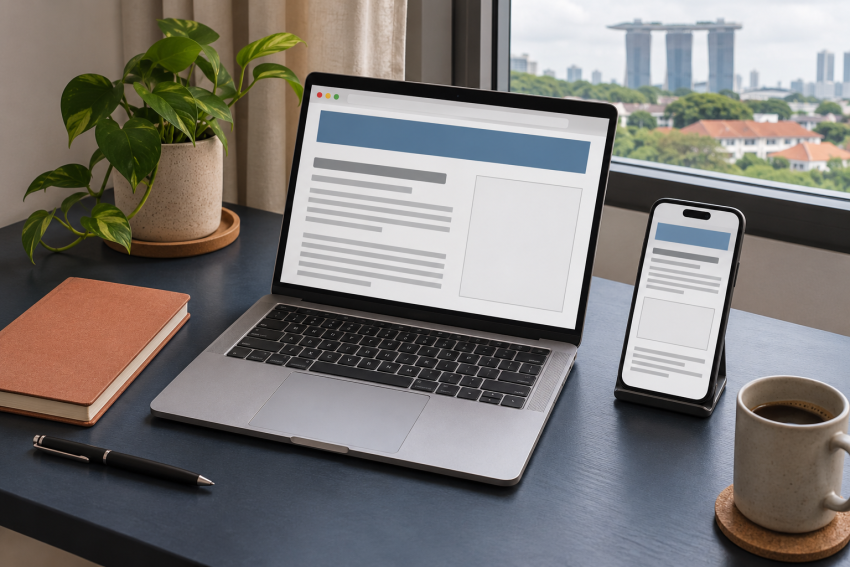
Laptop and phone showing blank ad spaces in an article layout

AdSense Approved but No Ads? 7 WordPress Checks

Posted on November 17, 2026November 17, 2026 by YWBanu

Table of Contents

  • 1. Compare today’s report with the past seven days
  • 2. Check who places the AdSense code in WordPress
  • 3. Check whether your chosen ad placements are active
  • 4. Check the ads.txt status for your domain
  • 5. Review Policy center and crawler issues
  • 6. Test on two pages and two devices
  • 7. Use the pattern to choose your next fix

AdSense says your site is Ready, but a WordPress article looks blank where you expected an ad. Start with your site’s impression report. It helps you tell whether ads have recently served anywhere on the site or whether the problem seems limited to the page you’re testing.

Work through these seven checks before changing your theme, adding another plugin, or moving your ad units.

1. Compare today’s report with the past seven days

In AdSense → Sites, find your domain and confirm it shows Ready. Then open the Sites report under Reports, find the same domain, and compare Today with Last 7 days. Look at the Impressions column. AdSense records an impression when an ad begins downloading to a visitor’s device. AdSense site statuses · How impressions are counted

If the seven-day report shows impressions and today’s report shows zero, the site has served ads recently. With only a few visits early in the day, check again after more time and traffic have accumulated. Google also says its impression reports sometimes update with a delay. AdSense reporting delays

2. Check who places the AdSense code in WordPress

If you use Site Kit, go to Site Kit → Settings → Connected Services → AdSense → Edit. Check Let Site Kit place AdSense code on your site if Site Kit is supposed to manage your Auto ads snippet. If your theme or another plugin already supplies the code, check that setup first. Keep a record of which tool inserts the snippet so you can avoid putting the same code on the page twice. Site Kit’s AdSense setup guide

Open a published article while signed out of WordPress. Use View page source and search for adsbygoogle.js if you expect the AdSense snippet on that page. Check the homepage too. If the script appears in one place only, look at how the affected template loads your header or ad code. If you just repaired or changed the site, check the public version after clearing the page cache once.

3. Check whether your chosen ad placements are active

If you rely on Auto ads, open Ads in AdSense and use the edit control for your site. Check that Auto ads are enabled, then look for excluded pages and excluded areas. An exclusion can explain why a particular article or section stays blank while the rest of the site still serves ads. Review Auto ads excluded areas

If you use manual ad units, open the affected article and check where the unit was placed. A theme change can leave a sidebar or widget area out of the new layout. Check the layout where readers actually see the article, especially on a phone.

4. Check the ads.txt status for your domain

Back in AdSense → Sites, look at the Ads.txt status column. Authorized means Google found your publisher ID in the file. If it says Not found or Unauthorized, open the site’s details and follow Google’s instructions. Use the publisher information from your own account. The public file should be available at your domain followed by /ads.txt. AdSense’s ads.txt status definitions · Fix common ads.txt issues

5. Review Policy center and crawler issues

Open Policy center in AdSense and look for anything affecting ad serving on the site or account. If Google identifies a page, record the exact URL and address the issue shown. If the problem is a crawler error, verify that the public article opens normally without a WordPress login and shows the expected content. A failed fetch can affect delivery even when other pages load. Google’s ad coverage troubleshooting guide

6. Test on two pages and two devices

Open the homepage and one published article, first on desktop and then on a phone. For your own test, use a browser profile without an ad blocker and go through any consent prompt normally. Note which page you checked, which device you used, and whether you could see an ad. Leave any live ads unclicked. Google’s guidance on avoiding invalid traffic

If the issue started after a theme change or repair, also check what Google receives on your important pages. WordPress checks after a redesign

7. Use the pattern to choose your next fix

  • Ads appear elsewhere on the site. Check the affected article’s layout, ad unit placement, and Auto ads exclusions.
  • Impressions are zero across the site for several days with traffic. Check the snippet, your placement settings, ads.txt, and Policy center.
  • Impressions and visits both fell. Check which articles are getting less traffic before changing your ad layout.

For an issue you can reproduce, change one setting at a time and note the date. Then compare the same site and metrics in AdSense. A record of what changed makes it easier to tell which fix helped. Google’s guide to diagnosing changes in AdSense earnings

Leave a Reply Cancel reply

You must be logged in to post a comment.


80 High-Value Backlink Platforms – A Practical Guide for Small Businesses, Creators & Bloggers (2025 Edition) Author: Winner Banu

💡 What You’ll Get Inside ✅ A Handpicked List of the 80 Best Free Backlink Sites 2026 No junk. No expired domains. No spammy link farms.Just real platforms used by real brands:

$9.90
Checkout Added to cart

Welcome to YWBANU.com

Remote Jobs in Singapore
Earn $20 per day
Write and Earn $10 per Week

Winner Banu

  • About Me
  • Contact Me
  • Publish Your Article and Earn
  • My Blogs
  • My Youtube Videos
  • Rank Your YouTube Video to achieve fame
  • Promote YouTube Channel For Free
  • Promoting YouTube Channel

Recent Posts

  • AdSense Approved but No Ads? 7 WordPress Checks
  • 7 WordPress SEO Checks After a Website Redesign
  • How to Find Blog Post Ideas With Google Search Console
  • How Singapore Bloggers Can Earn from Affiliate Marketing: A Practical Beginner Guide
  • Why You Should Allow GPT Bots to Crawl Your Blog (And How to Do It Safely)
  • Best Free Backlink Sites 2026 – Listed for you for Easy Reference and Guide
  • YouTube monetisation 15 July 2025 update — what Singapore creators must change
  • TikTok Shop Singapore fees in 2025: the real commission (with calculator)
  • How to (Realistically) Make S$1,000,000 in a Week – SG Guide
  • Crafting Engaging Blog Posts with AI – Content Creation

Categories

  • Affiliate matters
  • Business matters
  • News
  • Personal Blogs
  • Website Matters
  • Youtube matters

Recent Comments

  • AdSense Approved but No Ads? 7 WordPress Checks on 7 WordPress SEO Checks After a Website Redesign
  • How to Turn Blogging into a Full-Time Income: Strategies for Success on The difference between marketing and advertising
  • How to Turn Blogging into a Full-Time Income: Strategies for Success on How to make passive income on Audible using AI
  • How to Turn Blogging into a Full-Time Income: Strategies for Success on Best affiliate marketing platforms – Linkconnector Review
  • Blogging in 2024: Navigating the Future of Content Creation and Monetization on The Seven-Figure Digital Marketing Agency Jobs Roadmap

My Latest Youtube Video

Winner Banu

Practical guides on blogging, SEO and YouTube from Singapore.

About Banu
Watch Banu’s videos

Explore

  • All articles
  • Blogging & SEO
  • Affiliate marketing
  • YouTube
  • Search the site

Work with Banu

  • WordPress course
  • Free Affiliate School
  • Marketing services
  • Sponsored video promotion
  • Shop · Checkout

Information

  • Contact
  • Submit an article
  • Take up a task
  • Privacy policy
  • Terms · Disclaimer
  • Affiliate matters (44)
  • Business matters (41)
  • News (63)
  • Personal Blogs (161)
  • Website Matters (52)
  • Youtube matters (7)

Archives

  • November 2026 (3)
  • June 2026 (1)
  • November 2025 (4)
  • September 2025 (1)
  • October 2024 (1)
  • September 2024 (3)
  • August 2024 (3)
  • July 2024 (1)
  • February 2024 (1)
  • December 2023 (1)
  • November 2023 (1)
  • October 2023 (3)
  • August 2023 (1)
  • July 2023 (1)
  • June 2023 (5)
  • May 2023 (2)
  • April 2023 (3)
  • March 2023 (6)
  • February 2023 (6)
  • January 2023 (6)
  • December 2022 (4)
  • November 2022 (3)
  • October 2022 (4)
  • September 2022 (7)
  • August 2022 (8)
  • July 2022 (11)
  • June 2022 (5)
  • May 2022 (10)
  • April 2022 (5)
  • March 2022 (8)
  • February 2022 (5)
  • January 2022 (3)
  • December 2021 (9)
  • November 2021 (3)
  • October 2021 (6)
  • September 2021 (13)
  • August 2021 (10)
  • July 2021 (9)
  • June 2021 (3)
  • May 2021 (1)
  • April 2021 (39)
  • February 2021 (3)
  • December 2020 (2)
  • November 2020 (2)

Recent Posts

  • AdSense Approved but No Ads? 7 WordPress Checks
  • 7 WordPress SEO Checks After a Website Redesign
  • How to Find Blog Post Ideas With Google Search Console
  • How Singapore Bloggers Can Earn from Affiliate Marketing: A Practical Beginner Guide
  • Why You Should Allow GPT Bots to Crawl Your Blog (And How to Do It Safely)
  • Best Free Backlink Sites 2026 – Listed for you for Easy Reference and Guide
  • YouTube monetisation 15 July 2025 update — what Singapore creators must change
  • TikTok Shop Singapore fees in 2025: the real commission (with calculator)
  • How to (Realistically) Make S$1,000,000 in a Week – SG Guide
  • Crafting Engaging Blog Posts with AI – Content Creation
  • 10-Day Blogging Masterclass: From Zero to AdSense Approval
  • LinkConnector Review: An Affiliate Network for Marketers and Brands
  • AI-Powered Blogging Communities: The Future of Digital Content Creation in 2024
  • 10 Unique Ways to Earn Money Online in Singapore in 2024
  • How to Turn Blogging into a Full-Time Income: Strategies for Success
  • About Me
  • Contact Me
  • Publish Your Article and Earn
  • My Blogs
  • My Youtube Videos
  • Rank Your YouTube Video to achieve fame
  • Promote YouTube Channel For Free
  • Promoting YouTube Channel
Copyright © 2026 Digital Marketing Specialist in Singapore. All Right Reserved.